
Creating a productive home office space is essential for staying focused, organized, and motivated while working remotely. Whether you’re new to working from home or looking to improve your current setup, a few thoughtful changes can make a big difference. In this post, we’ll explore practical tips for designing a workspace that helps you work efficiently and comfortably.
Choose the Right Location
The first step in creating a productive home office is selecting the right spot. Ideally, pick a quiet area with minimal distractions. If possible, choose a separate room instead of a corner of your living room or bedroom. Having a dedicated workspace signals to your brain that it’s time to work when you enter the space.
If space is limited, try to position your desk near natural light. Daylight can boost mood and energy levels while reducing eye strain. Avoid places that face busy streets or noisy areas whenever possible.
Invest in Ergonomic Furniture
Comfort matters when you spend hours working at your desk. Ergonomic furniture supports good posture and helps prevent aches and pains.
– Desk: Choose a desk with enough surface area for your computer, accessories, and workspace materials. Adjustable desks or standing desks offer flexibility.
– Chair: Opt for an adjustable chair with good lumbar support. Your feet should rest flat on the floor, and your knees should be at a 90-degree angle.
– Accessories: Consider footrests, wrist supports, or monitor stands to align your body properly for prolonged work.
Organize with Storage Solutions
Clutter can distract and decrease productivity. Use storage solutions to keep your home office tidy.
– Shelves and Cabinets: Store books, files, and supplies neatly to free up desk space.
– Drawer Organizers: Separate office supplies like pens, paper clips, and chargers.
– Cable Management: Use clips or cable boxes to keep cords untangled and out of sight.
– Vertical Space: Maximize wall space with pegboards, corkboards, or wall-mounted organizers.
Optimize Lighting
Proper lighting is key for reducing eye strain and maintaining energy.
– Natural Light: Position your desk near a window for daylight.
– Task Lighting: Use adjustable desk lamps with warm but bright bulbs for focused work.
– Avoid Glare: Arrange monitors perpendicular to windows to minimize screen glare.
Minimize Distractions
Creating a focused environment helps you get more done.
– Noise Control: Use noise-cancelling headphones or play white noise to block out distractions.
– Digital Boundaries: Silence social media notifications and close unrelated browser tabs.
– Clear Workspace: Keep only essential items on your desk during work hours.
Personalize Your Space
Adding personal touches makes your home office more inviting and motivating.
– Plants: Indoor plants can improve air quality and add a calming vibe.
– Artwork: Inspiration or soothing images can create a pleasant atmosphere.
– Color: Choose paint or decor colors that you find energizing or calming, depending on your preference.
Set Daily Routines and Boundaries
A productive home office isn’t only about physical space—it’s also about routines.
– Consistent Schedule: Start and finish work around the same time each day to maintain balance.
– Break Zones: Create a separate spot for breaks away from your desk.
– Clear End-of-Day Routine: Tidy your desk and shut down your computer to signal the end of your workday.
Use Technology Wisely
Leverage tools to enhance productivity without overwhelming yourself.
– Task Management: Use apps or planners to track assignments and deadlines.
– Communication Tools: Set specific times to check emails or messages to avoid constant interruptions.
– Ergonomic Tech: Invest in monitors with adjustable stands, quality keyboards, and mice that reduce strain.
Keep it Clean and Maintained
Regular cleaning and maintenance make your office a comfortable and safe place to work.
– Daily Tidying: Spend a few minutes each day organizing your desk.
– Regular Dusting: Clean screens, keyboards, and surfaces weekly.
– Equipment Care: Update software and hardware as needed to avoid technical issues.
—
By thoughtfully designing your home office space, you create a foundation for productivity and well-being. Remember, the best workspace supports your habits, preferences, and goals. Start with these tips, adjust to your needs, and enjoy a home office that helps you thrive.
Related Posts
Simple Tips for Creating a Cozy and Functional Home Workspace
Creating a cozy and functional home workspace is essential in…
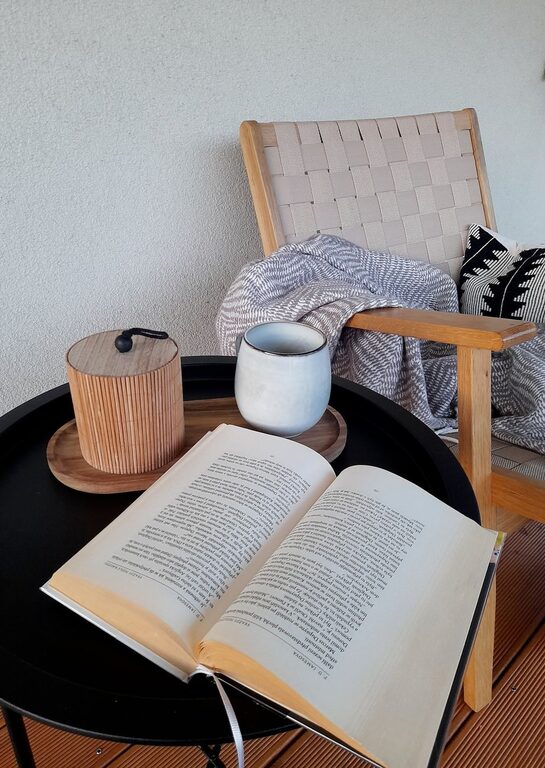
Tips for Creating a Cozy Reading Nook in Your Home
Creating a cozy reading nook in your home is a…
Tips for Creating a Productive Home Office Environment
Working from home has become increasingly common, and having a…